Reviewed October 30, 2026. Use this planning guide to clarify ownership, permissions and verification questions before requesting access. Meta's screens and requirements can vary; follow the instructions shown in your own business settings.
What Is Meta Business Manager and Why Does It Matter?
Business Manager is a familiar name for Meta's business administration tools. In current interfaces you may see Business Suite and business portfolio settings. Start by identifying the correct business and the assets you need to manage, rather than relying on a menu label alone.
Organizing assets does not make them immune to restrictions or protect access when an administrator's login is compromised. Business verification, account access and ad approval are separate questions. AFAN does not promise a hidden trust score, guaranteed approvals or better campaign results from a verified portfolio.
Understanding Ownership and Access
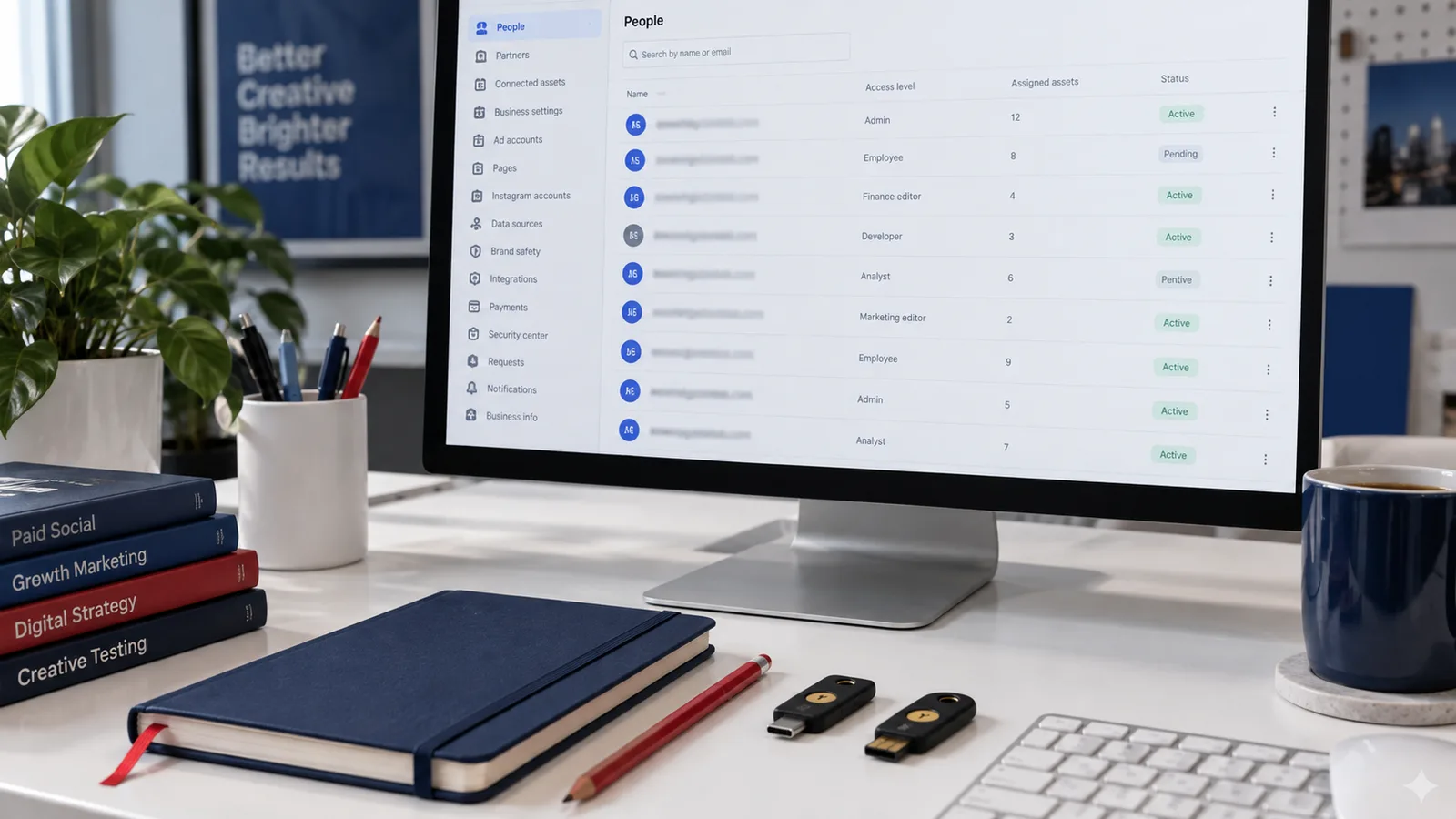
Keep a simple record of the business portfolio, ad account, Facebook Page, Instagram identity and measurement assets involved. For each one, record its identifier, responsible owner, people or partners with access, and who can change permissions or handle billing.
Access is not the same as ownership. Before accepting a provider's invitation, ask which business controls the ad account, what tasks you can perform and what happens to access when the service ends. Do not assume that buying an access package transfers ownership of the account, Page or data.
Plan Your Setup Before Launch
Identify the Business and Responsible Administrators
Use accurate information for the business involved and contact details you can maintain. Confirm that an authorized person can manage the portfolio and respond to legitimate requests. Keep a record of permissions and a recovery plan so a departing employee or inaccessible login does not leave responsibility unclear.
Meta’s business security guidance explains why administrator logins and access reviews matter. Use the official Meta service directly. Do not share passwords, authentication codes or recovery codes with a supplier. Treat an unexpected verification message as something to check inside the official service before following its links or sending documents.
Review Page and Instagram Access
Identify the Page and any Instagram account you intend to use. Confirm who controls them and which permissions your campaign team actually needs. If another business already controls an asset, resolve the access request with that owner rather than repeatedly trying to claim it.
Review the advertiser identity and public business information before launch. Follow the eligibility and identity requirements shown for the placements you choose. A complete profile can help visitors understand your business; it is not a promise of ad approval.
Confirm Ad Account and Billing Responsibilities
Check the ad account identifier, currency, time zone and available permissions before funding it. Read Meta's warnings before changing settings or creating an account. Account creation limits and available actions should be checked in your own settings; this guide does not promise a universal starting limit or an increase after verification.
Confirm who pays Meta, who receives your funds, any service or payment fees, allocation steps, and treatment of unused balances. Access to campaign tools does not automatically mean access to financial settings. Keep invoices and funding confirmations so the parties can reconcile the same transaction. Our fee guide and funding checklist explain useful questions.
Choose Measurement That Fits Your Campaign
Decide what you need to measure before installing tools. Website purchases, website inquiries and messages can need different measurement plans. A tracking implementation is not a universal prerequisite for every advertising objective, and its presence does not guarantee performance or account safety.
If you use a Meta Pixel or Conversions API, follow the official product instructions and applicable privacy requirements. Check that events correspond to real actions and avoid reporting the same action twice. Distinguish a contact-link click from a submitted inquiry and a paying customer. Do not send sensitive information in event names, URLs or parameters.
Follow the Verification Request Shown to Your Business
Check the verification status and any instructions displayed in the official business settings for the feature you need. If verification is requested, follow that process and provide accurate, current information through the official channel. Read the accepted-document and contact-confirmation requirements shown there; do not assume a single document or a domain email will always be sufficient.
Do not rely on a fixed review time, automatic limit increase or immunity from restrictions. If an option is unavailable, consult Meta's help or support for the specific account instead of creating unrelated assets to force eligibility. Meta's business verification help is the starting reference; access may require signing in.
Also distinguish this process from the paid Meta Verified business subscription, which Meta describes as a separate offering with a badge and other features. An AFAN access package is not a Meta Verified subscription or evidence of a Meta partnership.
Setup Problems to Resolve Early
- Unclear ownership: establish who controls each asset and who can authorize changes.
- Excessive permissions: grant only the tasks needed and review access when work ends.
- Unprotected logins: use strong authentication and review unexpected sessions or invitations.
- Unclear funding: confirm charges, allocation and balances before sending money.
- Confusing approval with access: an invitation or verification status does not approve a campaign.
- Ignoring a restriction notice: review the affected asset and use the official route offered. Do not use another account to evade enforcement.
Business Setup Checklist
- Record the business portfolio and asset identifiers, owners and responsible contacts.
- Confirm campaign, permission-management and billing access separately.
- Protect administrator logins and keep passwords and recovery codes private.
- Review account-specific limits, notices and verification instructions.
- Confirm measurement, privacy responsibilities, funding fees and support scope.
- Ask what happens to access, records and unused funds at cancellation.
Use our free account-access buyer checklist when comparing providers. AFAN's Single package is EUR100 monthly for one account; Starter is EUR200 monthly for five accounts; Lifetime is EUR2000 one-time, with scope and duration to confirm in writing. Ad spend is separate. Monthly cancellation requires notice at least 10 days before the current period ends; otherwise the succeeding month's invoice applies.
Ask AFAN about your access requirements before ordering. Confirm availability, permissions, funding, fees and support terms in writing. We do not promise instant delivery, reinstatement, platform approval or campaign results.